⚡ Week 11: Networking & Communications
FAB ACADEMY | XIAO ESP32-C3 | ESP32 | MQTT · MOSQUITTO · WIFI
Intro
In this week's group assignment , we experimented with wireless ESP-NOW communication between two ESP32-C3 boards. It was my first time seeing the Esp-now protocol in action and it was fascinating.
This week builds directly on the Interface week. In Week 14 I had the XIAO ESP32-C3 reading the LSM6DS33 IMU over I2C and streaming data over USB serial to a Python backend. MQTT was part of the plan but I skipped it to focus on WebSocket and the dashboard first. This week I completed that piece and took it further — both boards now communicate wirelessly over WiFi through a local MQTT broker, with no USB cable involved.
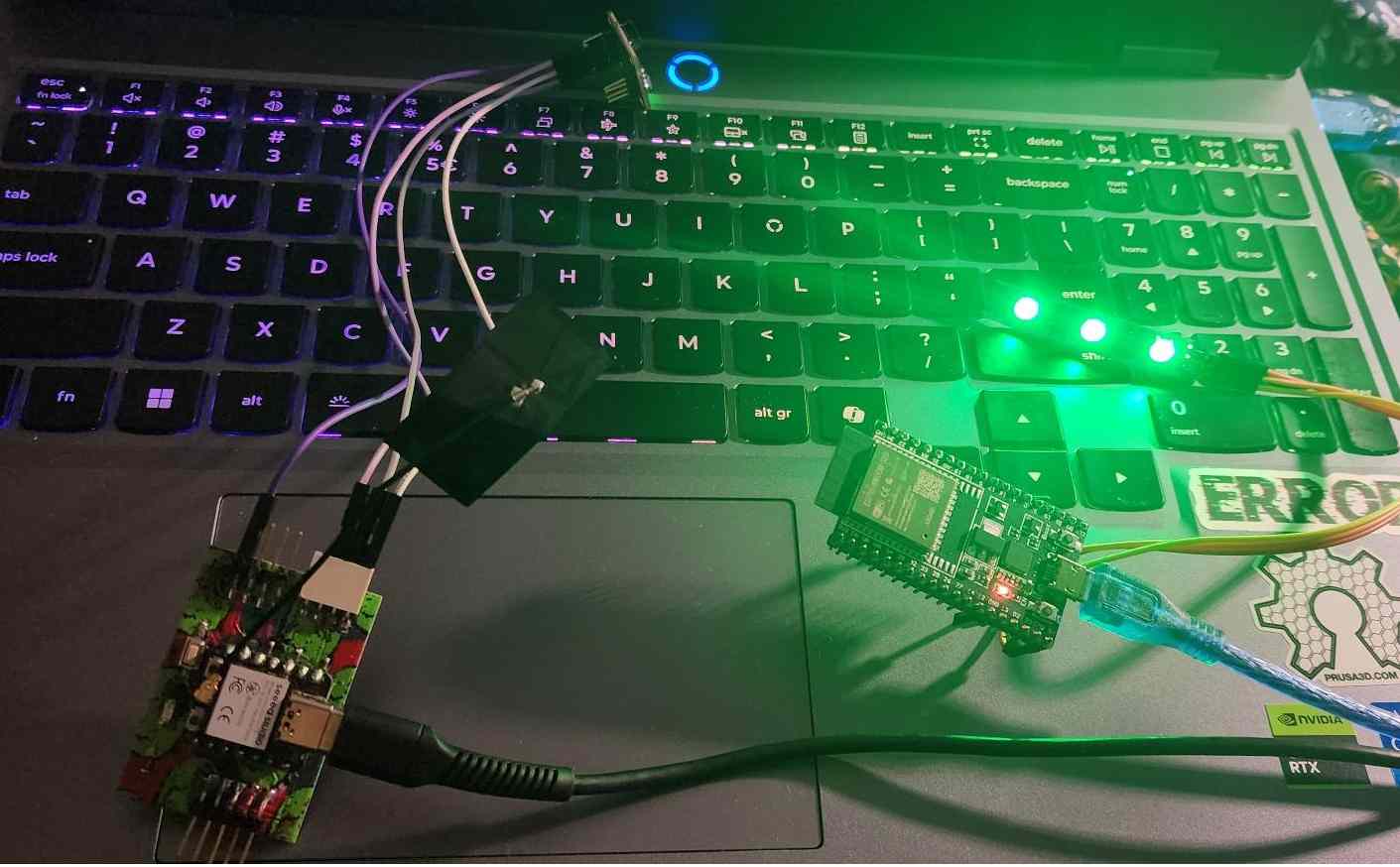
The XIAO ESP32-C3 connects to WiFi and publishes live accelerometer and gyroscope readings to a topic on the Mosquitto broker running on my laptop. A second board — a standard ESP32 — subscribes to that same topic and watches the accelerometer values. When the sensor is shaken hard enough that the acceleration exceeds a threshold, the ESP32 turns on an LED. When it drops back below the threshold the LED turns off. Two completely separate boards, communicating wirelessly, with no direct connection between them.
| Board | Role | Topic |
|---|---|---|
| XIAO ESP32-C3 + LSM6DS33 | Publisher publishes sensor readings | fab/imu |
| ESP32 | Subscriber receives readings, controls LED | fab/imu |
| Laptop (Mosquitto) | Broker routes messages between boards | all topics |
What is MQTT
MQTT (Message Queuing Telemetry Transport) is a lightweight messaging protocol
designed for devices that need to communicate over a network without talking to
each other directly. Instead of Device A sending data straight to Device B, both
connect to a central broker. Device A publishes
a message to a topic — which is just a string like
fab/imu — and Device B subscribes to that topic.
The broker receives the published message and forwards it to every subscriber.
The publisher and subscriber never need to know each other's IP address or even
that the other exists.
The broker is the central piece that makes this work. It is a server that runs on a machine on the network — in this case my laptop. Every device that wants to send or receive data connects to the broker, not to each other. The broker keeps track of all active subscriptions and when a message arrives on a topic it immediately forwards a copy to every subscriber on that topic. The broker is also why the system scales well — if you want to add a third device, a data logger, or a browser dashboard, they all just connect to the broker and subscribe. Nothing else in the system needs to change.
There were a few other ways I could have done this. HTTP polling would have the subscriber repeatedly ask the publisher for new data — simple but wasteful, and the LED would lag behind the sensor. ESP-NOW is an Espressif protocol that lets two ESP32 boards talk directly to each other over WiFi without a router or broker — faster and simpler but only works between ESP devices and doesn't scale beyond a few boards. WebSocket keeps a persistent connection open like MQTT but is designed for browser-to-server communication rather than device-to-device. MQTT was the right choice here because both boards are on WiFi, the broker model decouples the publisher from the subscriber cleanly, and the protocol was designed specifically for exactly this kind of constrained IoT use case.
// KEY POINT Both boards connect to the broker's IP address — the laptop's IP on the local WiFi network. They don't connect to each other. The broker is the only thing they both need to know about.
Setting up mosquitto
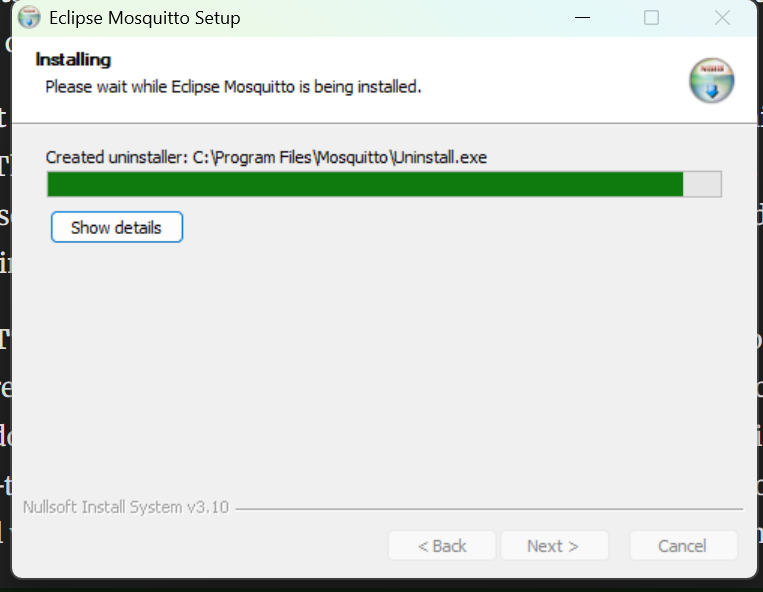
Mosquitto is a lightweight open-source MQTT broker — the software that runs on the laptop and acts as the central hub for all messages. On Windows, download the installer from mosquitto.org/download and run it.
By default Mosquitto only accepts connections from the same machine. Since the
ESP32 boards connect over WiFi from a separate device, a small config file is
needed to open it up. I created a file called mosquitto.conf with
two lines — one to accept connections on port 1883 from any network interface,
and one to allow anonymous connections without a password.
        listener 1883
        allow_anonymous true
This is done in powershell which means I first navigate to where I want to store the file which is the week 11 files folder and then I create the notepad file:
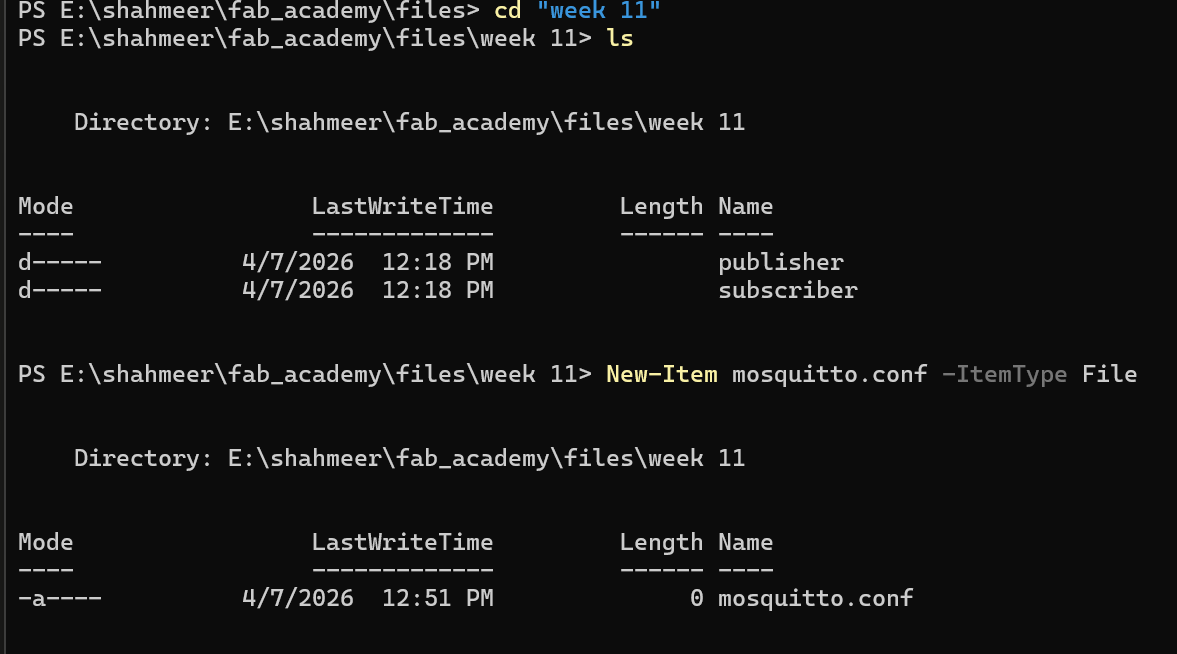
Once the file has been created and saved with the two lines I mentioned, I run the following command in the powrshell terminal to start the broker with that config file:
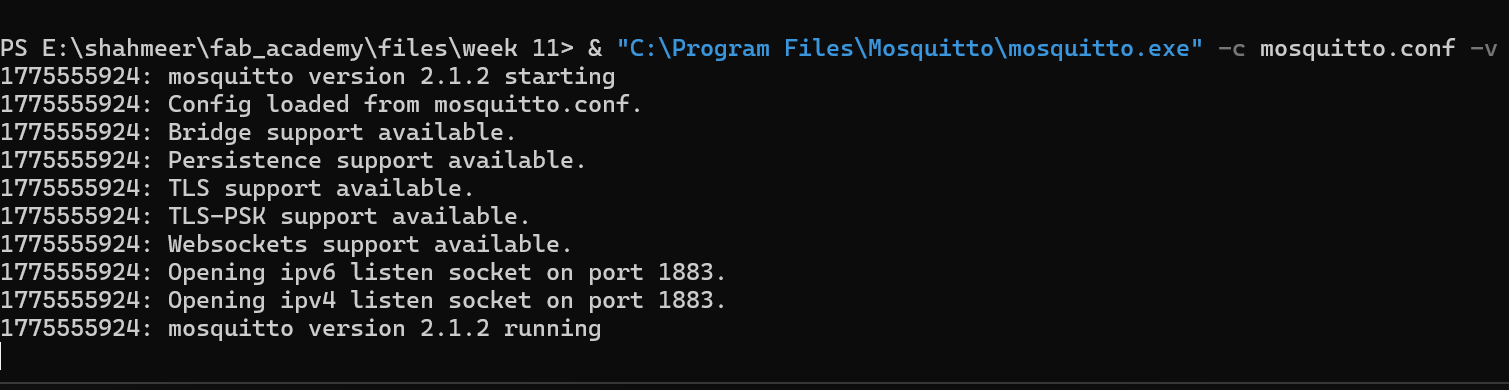
& "C:\Program Files\Mosquitto\mosquitto.exe" -c mosquitto.conf -v
The path has to be specified since the mosquitto executable is not in the system PATH. As can be seen in the picture below mosquitto is running successfully:
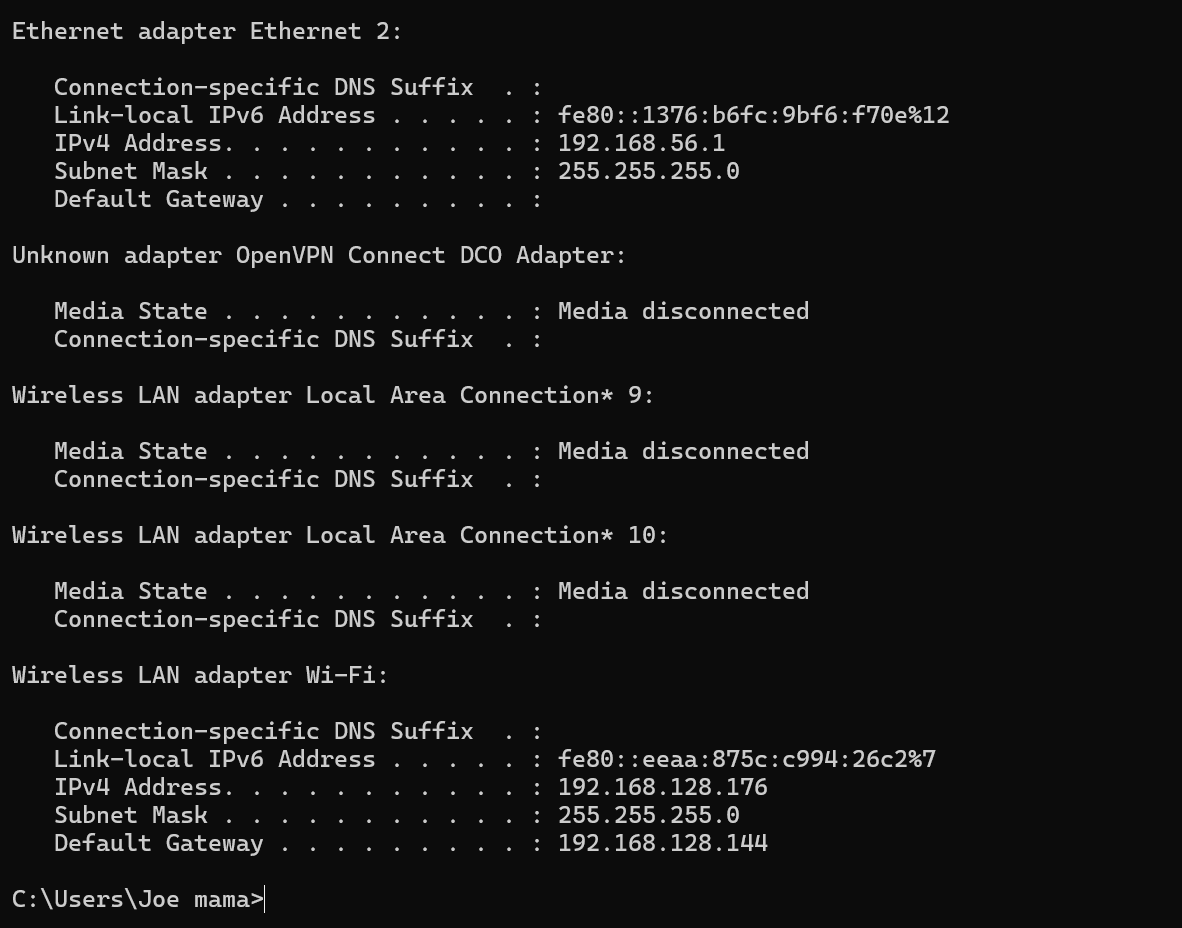
To get the laptop's IP address that the boards need, I ran ipconfig
in the terminal and looked for the IPv4 address under the WiFi adapter. Both
boards have this address hardcoded as the broker IP in their firmware.
To verify messages were arriving I opened a second terminal and ran
mosquitto_sub -h localhost -t "fab/#" -v which prints every incoming
message in real time — if messages appear here the broker is working, if the
subscriber isn't responding the problem is on that board's side.
// NOTE The laptop and both boards must be on the same WiFi network. On Windows you may also need to add a firewall exception for Mosquitto to allow connections on port 1883.
Publisher — xiao esp32-c3
The firmware from Week 14 which read the LSM6DS33 and printed CSV over serial has
been adapted here to act as an MQTT publisher. The serial output is replaced with
a WiFi connection and an MQTT publish call — instead of sending data down a USB
cable to Python, the XIAO now connects to the same WiFi network as the laptop and
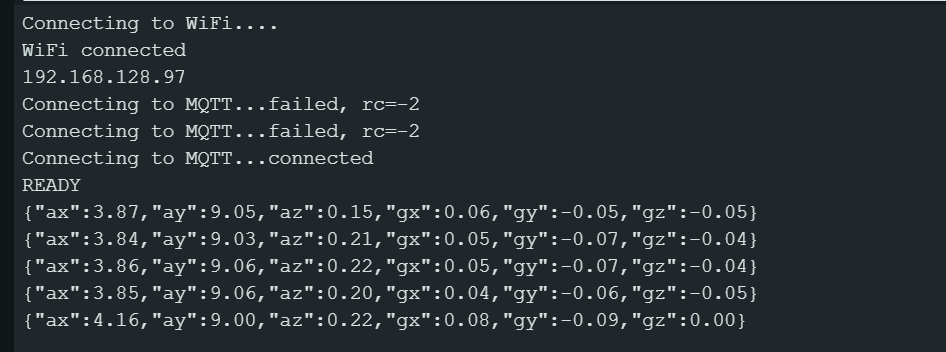
publishes a JSON string to the broker on topic fab/imu every 100ms.
The sensor reading code itself is unchanged.
On startup the board connects to WiFi, then connects to the broker at the laptop's
IP address on port 1883. In the loop it reads the sensor, formats all 6 values as
a JSON string using snprintf and publishes it. If the broker connection
drops at any point it automatically tries to reconnect before the next publish. The
full firmware is available in the files section below.
The code uses the PubSubClient library by Nick O'Leary for MQTT and the built-in WiFi library. Both are available in the Arduino Library Manager. The publisher and subscriber code is based on the ESP32 MQTT Publish Subscribe tutorial by Random Nerd Tutorials, adapted to use the LSM6DS33 IMU as the data source.
Subscriber — esp32 + neopixel
The subscriber firmware is flashed to the second board — a standalone ESP32 —
completely separately from the XIAO. It has no sensor, no serial reading, and
no connection to the XIAO directly. Its only job is to sit on the WiFi network,
wait for MQTT messages on fab/imu, and control the LED strip based
on what arrives.
Every time a message arrives the callback function fires automatically. It parses the JSON payload using ArduinoJson and reads the three accelerometer values. It then calculates the total acceleration magnitude — the combined intensity of movement across all three axes. At rest this sits around 9.8 m/s² from gravity alone. When the sensor is shaken it spikes well above that. A threshold of 15 m/s² was tuned by watching the serial monitor while shaking the sensor at different intensities — anything above turns the strip red, anything below turns it green.
Instead of a single LED I used an Adafruit NeoPixel strip which allows individual colour control. The strip also gives visual feedback for the connection state — blue while connecting on startup, green once connected and at rest, red when a shake is detected. This makes it easy to see what the board is doing without opening the serial monitor. Install Adafruit NeoPixel and ArduinoJson from the Arduino Library Manager before compiling.
// troubleshooting
Getting the subscriber working took a few iterations. The first issue was that the ESP32 serial monitor was completely empty after flashing — nothing printing at all. This turned out to be the wrong board selected in Arduino IDE. When switching from the XIAO to the ESP32 the board and COM port both need to be changed manually under Tools → Board and Tools → Port.
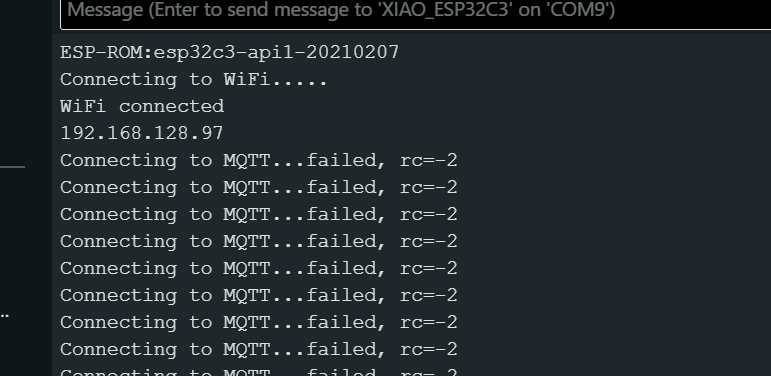
Once that was fixed the board connected to WiFi and MQTT successfully — the strip
turned green briefly — but then immediately dropped back to blue. Looking at the
broker terminal showed the cause: Client esp32-subscriber disconnected:
exceeded timeout. The problem was that setStrip() was being
called directly inside the MQTT callback function. The strip.show()
call inside it blocks for a few milliseconds, and when this happens on every
incoming message it starves mqtt.loop() of processing time, causing
the keep-alive to fail and the connection to drop.
The fix was to move the LED update out of the callback entirely. Instead of
calling setStrip() directly, the callback now just sets a boolean
flag shakeDetected. The loop() function reads that flag
and updates the strip every 50ms using a millis() timer — this keeps
mqtt.loop() running freely on every iteration without being blocked.
mqtt.setKeepAlive(60) was also added to give the connection more
headroom before timing out.
After reflashing with these changes the strip stayed green and correctly turned red when the IMU was shaken.
// mosquitto_sub issue
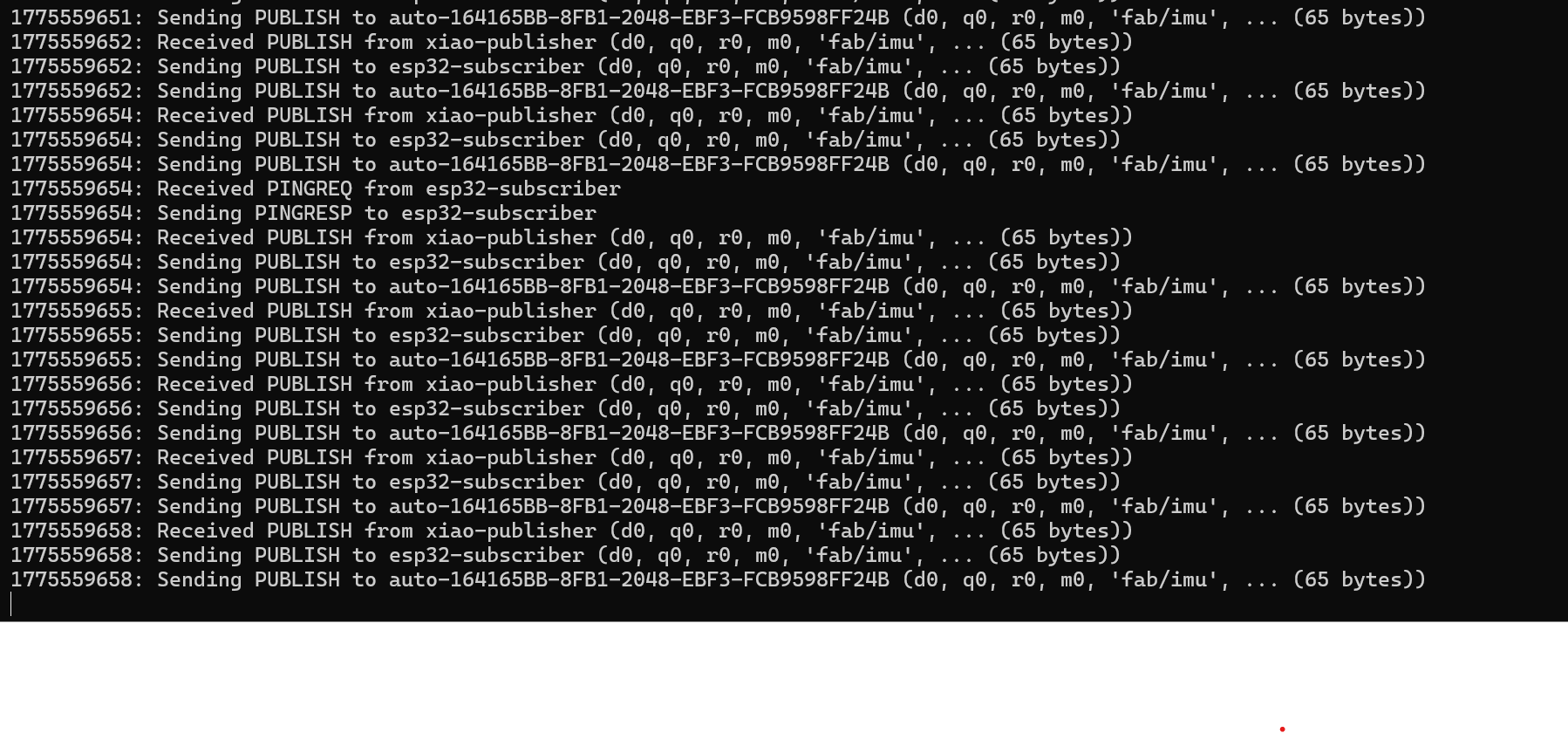
One additional issue worth noting — running mosquitto_sub with
-h localhost produced no output even though the broker was clearly
receiving and forwarding messages. The fix was to use the laptop's actual IP
address on the hotspot network instead of localhost:
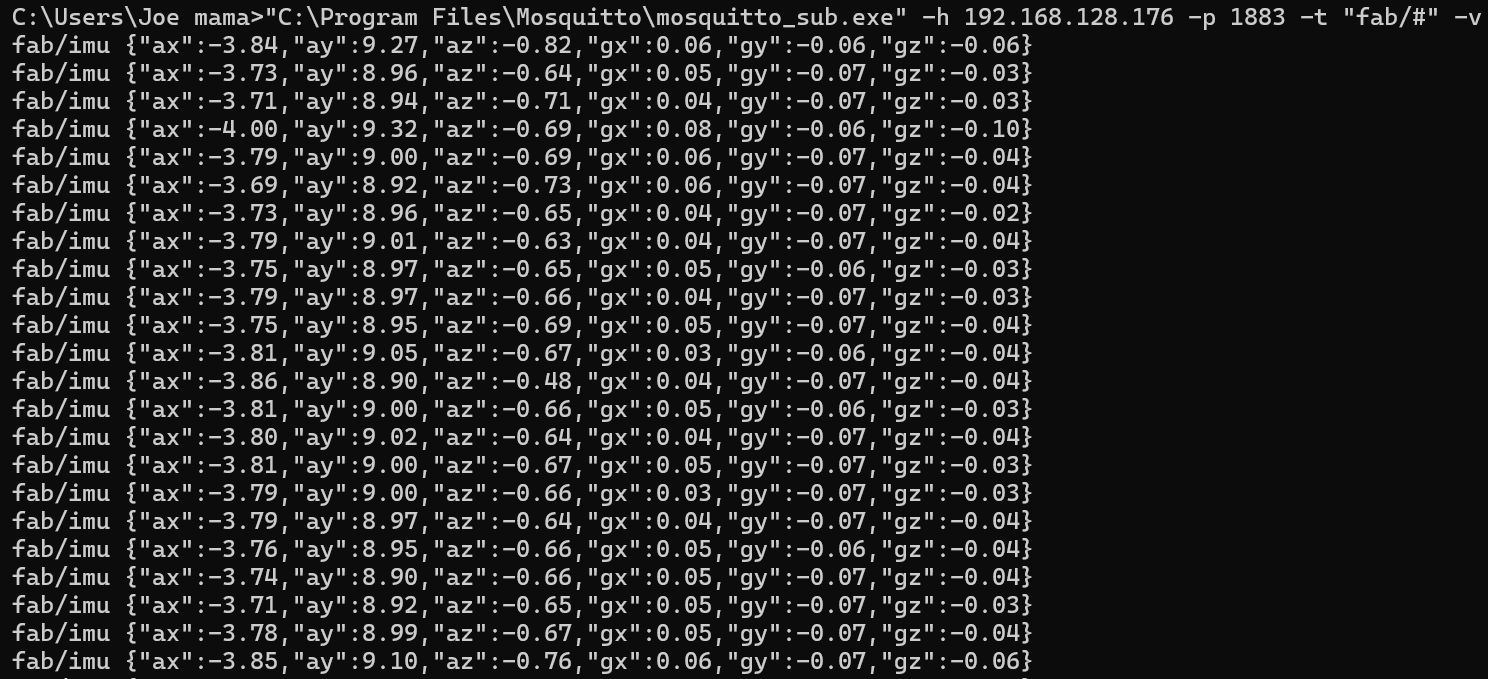
"C:\Program Files\Mosquitto\mosquitto_sub.exe" -h 192.168.128.176 -p 1883 -t "fab/#" -v
This is because the laptop was connected to a phone hotspot rather than a
standard home router — on this network configuration localhost
was not resolving to the correct interface. Using the actual IP fixed it
immediately and the full JSON packets appeared in the terminal.
Results
With both boards flashed and the broker running, the XIAO publishes sensor data continuously and the ESP32 receives it. The strip stays green at rest. Shaking the XIAO causes the strip on the ESP32 to turn red immediately, and it returns to green once the motion stops.
Download Files

 ← Back to Main Page